
Last updated: September 14, 2026
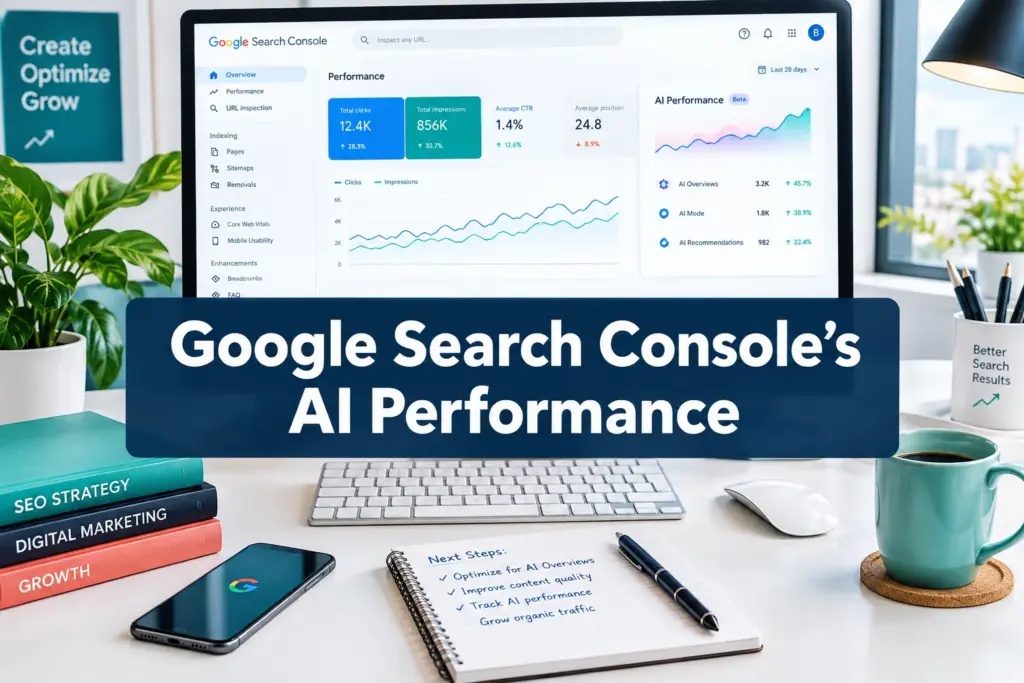
Quick Answer: The Google AI Performance Report is a dedicated section inside Google Search Console that shows how your website appears in AI-powered search experiences, including Google AI Overviews and AI Mode. It launched globally on June 3, 2026, and completed its worldwide rollout by August 31, 2026. The report gives you impressions data for AI-generated results, but currently does not show clicks or specific queries.
Key Takeaways
- The Google AI Performance Report launched in June 2026 and is now available to all Search Console properties globally [1][2]
- It tracks impressions from AI-powered search experiences like AI Overviews and AI Mode, not traditional organic results
- The report does not show clicks, click-through rates, or the exact queries that triggered AI appearances [6]
- Google has publicly acknowledged that the current reporting is “inadequate” and has committed to improvements [3]
- A logging error discovered on August 13, 2026 affected AI impression counts, Google is working on a fix [3]
- You can filter data by country, device, and date range, but query-level filtering is not yet available
- The report ships alongside an AI content control feature that lets you opt out of certain AI-generated experiences [3]
- Low impressions in the report often signal a content structure or authority issue, not a technical one
- Traditional SEO signals, topical authority, structured content, E-E-A-T, directly influence AI visibility
- Future updates are expected to add click data and query-level reporting (speculative, based on Google’s stated direction)
What Is the Google AI Performance Report in Search Console?
The Google AI Performance Report is a new reporting section inside Google Search Console that measures how often your website content appears inside AI-generated search results. Specifically, it tracks impressions from Google AI Overviews and Google AI Mode, the two main AI-powered experiences Google has rolled out across Search.
This is separate from the standard Performance report you already use to track organic clicks and rankings. Think of it as a dedicated window into your AI search visibility.
Google launched this report on June 3, 2026, through its Search Central blog [1]. The rollout completed globally by August 31, 2026, meaning every verified Search Console property now has access to it [2][3].
Why does this matter? Because AI Overviews and AI Mode are changing how users interact with search results. Your content can be cited inside an AI-generated answer without the user ever clicking through to your site. Without this report, you had no way to know whether Google’s AI systems were even pulling from your content.
How Do I Access the AI Performance Report?
Finding the report is straightforward once you know where to look. It lives inside the existing Search Results section of Google Search Console, not as a separate standalone tool.
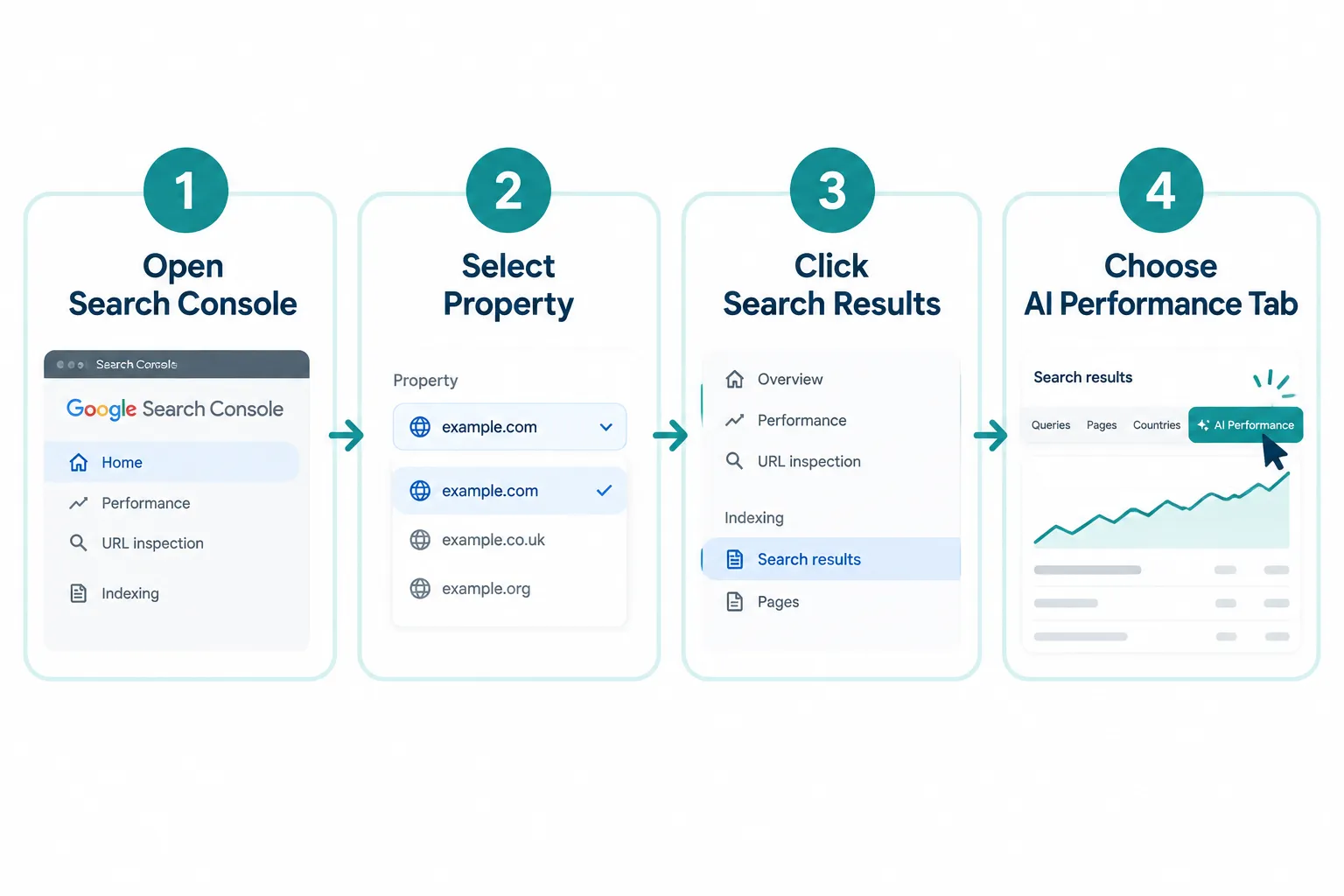
Here’s exactly how to get there:
- Log in to Google Search Console
- Select your property from the top dropdown
- In the left sidebar, click Search results under the Performance section
- At the top of the report, you’ll see tabs, look for the “AI” or “AI Performance” tab alongside the existing “Web,” “Image,” and “Video” tabs
- Click it to load your AI impressions data
If you don’t see the tab yet, check that your property is fully verified. The rollout was complete as of August 31, 2026, so all verified properties should have access [2]. If the tab appears but shows no data, that’s a separate issue covered below.
What Metrics Does the Google AI Performance Report Show?
Right now, the report shows impressions only, meaning how many times your content appeared inside an AI-generated result, like an AI Overview or an AI Mode response. That’s the primary metric available today.
Here’s a breakdown of what you can and cannot see:
| Metric | Available? |
|---|---|
| AI Impressions | ✅ Yes |
| Clicks from AI results | ❌ Not yet |
| Click-through rate (CTR) | ❌ Not yet |
| Specific queries | ❌ Not yet |
| Country filter | ✅ Yes |
| Device filter | ✅ Yes |
| Date range filter | ✅ Yes |
| Content type filter | ⚠️ Limited |
The absence of clicks and query data is the biggest limitation right now. Google has acknowledged this gap directly, with the company stating that current reporting is “inadequate” for the needs of site owners and SEO professionals [3][6]. The expectation is that query-level data and click metrics will be added in future updates, but no confirmed timeline exists as of this writing.
How Is the AI Performance Report Different from the Regular Performance Report?
The standard Performance report in Search Console tracks traditional organic search: clicks, impressions, CTR, and average position for web, image, video, and news results. The Google AI Performance Report tracks a completely different type of visibility, appearances inside AI-generated answers.
The key differences:
- Source of impressions: Regular report = traditional blue-link results. AI report = AI Overviews, AI Mode responses
- Metrics available: Regular report has clicks + CTR + position. AI report currently has impressions only
- Query data: Regular report shows which queries drove traffic. AI report does not yet show queries
- User behavior: Traditional clicks send users to your site. AI results often answer the question directly, which means your content can generate impressions with zero traffic
This is why the distinction between AI traffic and organic traffic matters so much. An impression in the AI report does not equal a visit. Your content might be cited 10,000 times in AI Overviews this month and still generate no additional sessions in Google Analytics. That’s the zero-click search reality playing out in real data.
Why Is My AI Performance Report Showing No Data?
There are a few common reasons your report might show zero or very low data.
First, check the obvious: Is your property verified? Has it been indexed recently? New sites or recently verified properties may have little to no AI impressions simply because Google hasn’t incorporated their content into AI results yet.
Second, be aware of the logging error. On August 13, 2026, Google identified a logging bug that was undercounting AI impressions across properties [3]. If your data looks unusually low or dropped around that date, this is likely why. Google is actively working on a fix, but some historical data may be affected.
Third, consider your content structure. AI systems tend to pull from content that is clearly structured, authoritative, and directly answers specific questions. If your site is heavy on promotional copy or thin content, it’s less likely to be cited in AI-generated answers.
Fourth, check your AI opt-out settings. When Google launched the AI Performance Report, it also shipped an AI content control feature that allows site owners to opt out of certain AI-generated experiences [3]. If someone previously configured an opt-out for your property, that would reduce or eliminate AI impressions.
Does the Google AI Performance Report Affect Rankings?
The report itself does not affect rankings, it’s a measurement tool, not a ranking signal. But what it measures does matter for your overall search strategy.
Appearing in AI Overviews and AI Mode is increasingly important for brand visibility, especially for informational queries. Even without direct clicks, consistent AI citations build topical authority signals over time. And Google’s AI systems are drawing from the same quality signals that influence traditional rankings: E-E-A-T, content depth, structured data, and site authority.
So while the report won’t change your position in blue-link results, the factors that improve your AI impressions, better content structure, stronger topical coverage, more authoritative sourcing, will generally help your traditional SEO performance too [8][9].
How to Improve Your AI Performance Report Scores
Improving AI impressions comes down to making your content easier for Google’s AI systems to understand, trust, and cite. Here’s what actually moves the needle:
Structure your content for direct answers. AI systems prefer content that answers a specific question clearly and concisely. Use question-based headings (H2/H3), then answer the question in the first 1-3 sentences of that section before adding detail. This mirrors the GEO (Generative Engine Optimization) approach that’s becoming standard practice for AI search optimization.
Build topical authority, not just keyword coverage. Google’s AI Mode uses a query fan-out process, it expands a single query into multiple related sub-questions. If your site covers a topic thoroughly across multiple pages, you’re more likely to be cited across that fan-out [9].
Use structured data. Schema markup helps Google understand what your content is about. FAQ schema, HowTo schema, and Article schema are particularly relevant for AI-generated results.
Earn authoritative backlinks. AI systems pull from trusted sources. A strong link profile signals that your content is worth citing.
Use Google’s AI-powered configuration tools. Google’s Search Central has introduced AI-powered configuration features that can help you analyze and improve how your content is interpreted by AI systems [7].
Monitor and iterate. Check your AI Performance Report weekly. Look for content types or topics where impressions are growing, and create more content in those areas.
Is the AI Performance Report Available for All Websites?
Yes. As of August 31, 2026, the Google AI Performance Report is available for all verified Search Console properties globally [2][3]. There are no size, traffic, or niche requirements. Whether you run a small local business site or a large enterprise platform, the report should be visible in your Search Console account.
The one caveat: if your site has very low indexation or minimal content, you may see little to no data simply because Google’s AI systems aren’t pulling from your pages yet. That’s a content and authority issue, not an access issue.
How Often Does Google Update the AI Performance Report?
The AI Performance Report updates on roughly the same cadence as the standard Performance report, data typically appears with a 2-3 day lag. You won’t see real-time data, but checking weekly gives you enough signal to identify trends.
One important note: due to the logging error identified on August 13, 2026, some historical data in the report may be inaccurate [3]. Google has flagged this issue, but until a full fix is confirmed, treat pre-fix impression counts as potentially understated. Use the data directionally rather than as precise benchmarks for now.
How to Use the AI Performance Report to Optimize Your Content Strategy
The report is most useful when you treat it as a signal for content gaps and opportunities, not just a vanity metric.
Here’s a practical approach for 2026:
- Identify which pages are getting AI impressions. These are your current AI-visible assets. Double down on them with updated content, more depth, and stronger internal linking.
- Find pages with zero AI impressions. Audit these for content structure issues. Are they answering questions directly? Do they have clear headings and structured sections?
- Cross-reference with your standard Performance report. If a page has strong organic traffic but zero AI impressions, that’s a signal to restructure the content for AI-readability.
- Track impression trends over time. A rising trend in AI impressions, even without clicks, suggests growing topical authority in Google’s AI systems.
- Use the country and device filters. If your AI impressions are concentrated in one market, that tells you where Google’s AI systems see you as most authoritative, useful for geo-targeted content strategy.
The Google AI Performance Report is still early-stage. The data is imperfect, the metrics are limited, and Google has openly said more is coming. But the sites that start tracking and optimizing for AI visibility now will have a meaningful head start when richer data, including queries and clicks, eventually arrives.
FAQ
Q: Can I see which queries triggered my AI impressions? No. As of September 2026, the Google AI Performance Report does not show query-level data. This is one of the most requested features and Google has indicated improvements are coming, but no confirmed timeline exists [6].
Q: Does appearing in AI Overviews count as an impression in this report? Yes. AI Overviews and AI Mode responses are the primary AI experiences tracked in the report [1][4].
Q: Can I opt out of having my content appear in AI results? Yes. Google launched an AI content control feature alongside the AI Performance Report that allows site owners to opt out of certain AI-generated experiences [3].
Q: Why did my AI impressions drop suddenly in mid-August 2026? A logging error was identified on August 13, 2026 that affected AI impression counts across properties. This is a known issue Google is working to resolve [3].
Q: Is the AI Performance Report the same as the AI Overviews report? They overlap but are not identical. The AI Performance Report covers multiple AI-powered search experiences, with AI Overviews being the most prominent. AI Mode data is also included [1][2].
Q: Do AI impressions count toward my total impression count in the standard report? No. AI impressions are tracked separately in the AI Performance tab and do not roll up into your standard organic impression totals.
Q: Should I prioritize AI impressions over traditional rankings? Not instead of, in addition to. Traditional organic rankings still drive the majority of clicks. AI impressions are a growing visibility layer, especially for informational queries, but they don’t replace blue-link traffic yet.
Q: How is this different from tracking AI Overviews in the standard Performance report? The standard report had limited AI Overview data. The dedicated AI Performance Report provides a cleaner, more specific view of AI-generated result appearances, with its own filtering options [4][8].
Conclusion
The Google AI Performance Report is Google’s first real attempt to give site owners visibility into how their content performs inside AI-generated search results. It’s imperfect, no clicks, no queries, a known logging error, but it’s the most direct signal we’ve had yet about AI search visibility.
Here’s what to do right now:
- Log into Search Console and confirm you can see the AI Performance tab
- Note your current AI impression baseline
- Identify your top 5 pages by AI impressions and audit them for content depth and structure
- Flag any pages with strong organic traffic but zero AI impressions, those are your biggest optimization opportunities
- Set up a weekly review cadence so you can track trends as the report matures
The gap between traditional SEO and AI SEO is narrowing fast. Sites that treat AI visibility as a separate, measurable goal, not just a side effect of good content, will be better positioned as Google’s AI experiences continue to expand. Start measuring now, so you’re not starting from zero when the data gets richer.
References
[1] Gen AI Performance Reports – https://developers.google.com/search/blog/2026/06/gen-ai-performance-reports [2] Search Engine Journal: Google Search Console AI Reports Rolled Out Worldwide – https://www.searchenginejournal.com/google-search-console-ai-reports-rolled-out-worldwide/587836/ [3] Search Engine Land: Google Search Console AI Performance Reports and Search Generative AI Control Rolling Out Globally – https://searchengineland.com/google-search-console-ai-performance-reports-and-search-generative-ai-control-rolling-out-globally-486269 [4] Google Support: Search Console AI Performance – https://support.google.com/webmasters/answer/16984139?hl=en [5] Relevant Audience: Search Console Generative AI Report Live All Properties – https://www.relevantaudience.com/seo/search-console-generative-ai-report-live-all-properties/ [6] PPC Land: Google Gives Every Site AI Search Reports Minus The Clicks And Queries – https://ppc.land/google-gives-every-site-ai-search-reports-minus-the-clicks-and-queries/ [7] Google Search Central: AI-Powered Configuration – https://developers.google.com/search/blog/2025/12/ai-powered-configuration [8] Hikoo: Search Console AI Overviews Impressions – https://www.tryhikoo.com/en/blog/guides/search-console-ai-overviews-impressions/ [9] W2B Agency: AI Model Releases Search Impact – https://w2bagency.com/blog/ai-model-releases-search-impact [10] LinkedIn: Google Search Console’s New AI Performance Report – https://www.linkedin.com/pulse/google-search-consoles-new-ai-performance-report-how-track-kumar-iax6c