

Last updated: November 2, 2026
Quick Answer
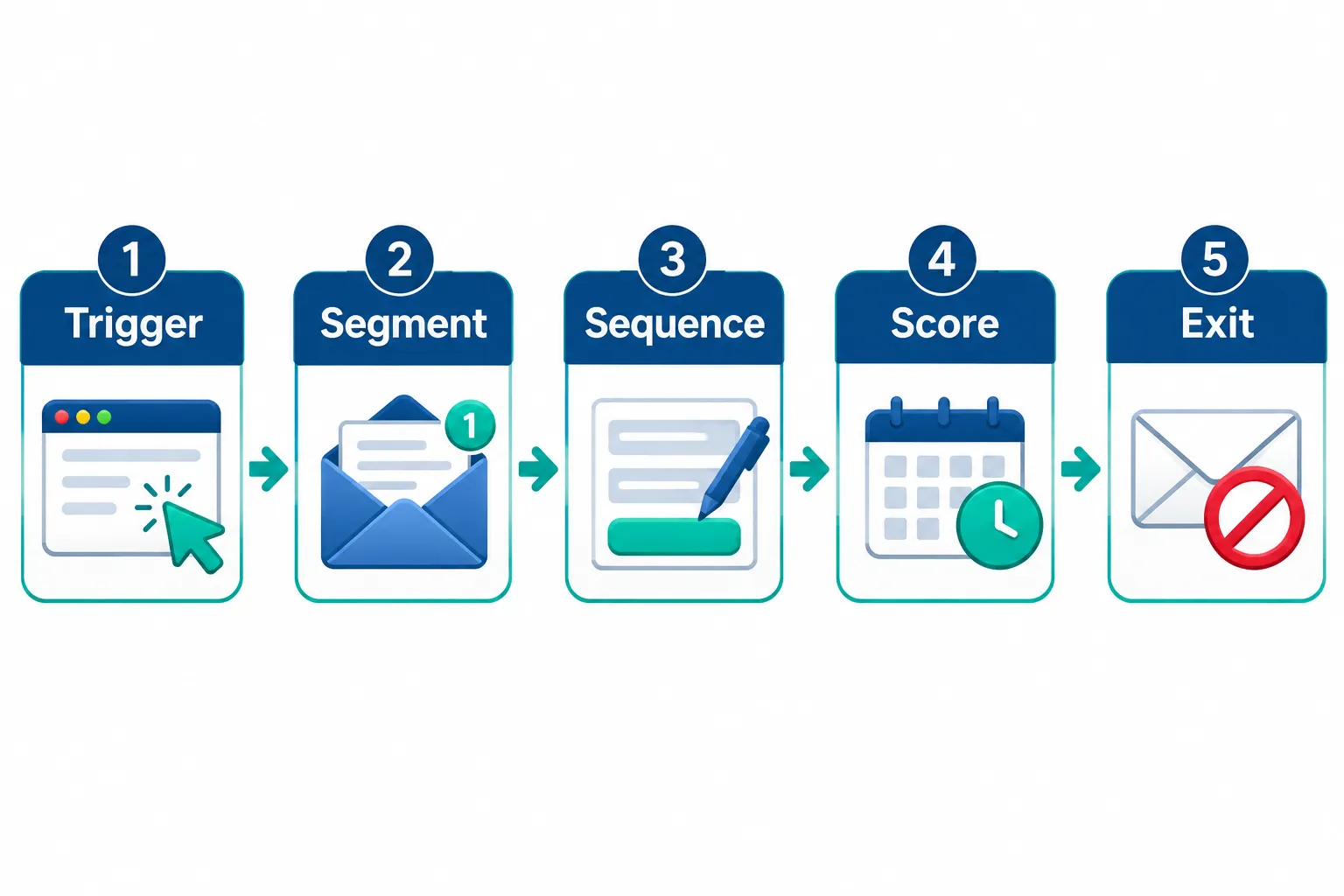
Marketing automation for lead nurturing works best when workflows are built around triggers, segmentation, scoring, and clear exit rules instead of blind email blasts [1]. The safest, highest-converting setups send three to six behavior-based touches over two to four weeks, personalize by role and intent, and hand off hot leads to sales the moment a score threshold is crossed [2][3]. Done this way, nurturing feels helpful, not spammy.
Key Takeaways
- Lead nurturing is a relationship-building sequence based on buyer behavior, not a one-off cold email blast [1].
- Three to six touches spread across two to four weeks is the current safe default cadence [2].
- Behavior-triggered workflows (page visits, downloads, cart activity) cut spam complaints compared with fixed-day drips [1][4].
- Segmentation by role, industry, or buying stage is now a baseline requirement, not a bonus feature [5].
- Lead scoring with a real numeric threshold should decide when sales takes over, not a gut feeling [3][6].
- Multi-channel nurturing, email, SMS, WhatsApp, in-app messages, and retargeting ads, is becoming standard practice [4][7].
- Suppression rules, visible unsubscribe links, and honest expectations protect sender reputation and open rates [5][8].
- You can start lead nurturing manually with CRM reminders and templates before buying automation software [9].
What Is Lead Nurturing and How Does It Differ From Cold Email
Lead nurturing is a planned series of relevant messages sent to someone who has already shown interest, by visiting a pricing page, downloading a guide, or signing up for a newsletter. Cold email, on the other hand, goes to a stranger who has never interacted with your brand [1].
The difference matters for how people respond:
| Factor | Lead Nurturing | Cold Email |
|---|---|---|
| Starting point | Known interest (form, click, download) | No prior contact |
| Content style | Educational, tailored to stage | Generic pitch or introduction |
| Legal footing | Based on consent given earlier | Often depends on local outreach laws |
| Typical reply rate | Higher, since trust already exists | Usually low, needs volume |
A proper lead-nurturing workflow in marketing automation builds on that existing spark of interest, which is exactly why it can convert without feeling pushy, the person already raised a hand [1][3].
How Many Emails Should You Send in a Lead Nurturing Sequence
Three to six emails over two to four weeks is the widely recommended range for most B2B and B2C nurture sequences in 2026 [2]. Fewer than three rarely builds enough familiarity to convert, and more than six without a clear reason starts to feel like noise.
A practical breakdown that many teams use:
- Email 1, Immediate welcome or confirmation (sent within minutes of the trigger).
- Email 2, A quick win or useful resource (2-3 days later).
- Email 3, Social proof or a relevant example (4-5 days later).
- Email 4, Handling a common objection (1 week later).
- Email 5, A low-friction offer (10-12 days later).
- Email 6, Final check-in or re-engagement nudge (2 weeks later, only if no response).
Choose the shorter three-email version if your offer is simple and low-cost. Choose the fuller six-email version for higher-ticket products that need more trust-building, a pattern common in services like content marketing and complex B2B sales.
What’s the Best Marketing Automation Platform for Small Businesses
There is no single “best” platform, the right choice depends on budget, team size, and the channels you already use. Small businesses generally do best with tools that combine email, basic CRM, and simple workflow builders without a steep learning curve [6][10].
Look for these capabilities before picking a tool:
- Visual workflow builder with triggers and branching logic
- Built-in lead scoring, even if basic
- Native or easy integration with your website forms and CRM
- Support for SMS or WhatsApp if your audience responds better there
- Clear reporting on opens, clicks, and unsubscribes
Reviews published in late 2026 increasingly favor platforms that reduce workflow complexity and protect sender reputation over those offering the most features [6]. If you’re comparing tools, read honest tool reviews before committing to annual pricing, since switching later is costly in time and data.
How Do You Know When You’re Emailing Too Much and Losing Leads
Rising unsubscribe rates, falling open rates over consecutive sends, and spam complaints are the clearest signs of over-emailing. A noticeable drop after the third or fourth touch in a sequence usually means the cadence or content needs adjusting [8].
Watch these specific signals:
- Unsubscribe rate climbing above your historical average by more than 20%
- Open rate dropping steadily send-over-send within the same sequence
- Spam complaint rate above roughly 0.1%, a level that can hurt deliverability
- Replies asking “why am I getting these” or “please stop”
Decision rule: if two consecutive emails in a sequence show falling engagement, pause the workflow and review content relevance before sending the next one.
What Should the Time Gap Be Between Nurture Emails
A gap of two to four days between early emails, stretching to five to seven days later in the sequence, keeps nurturing present without becoming annoying [2]. Spacing should widen as the sequence progresses, because urgency naturally fades the longer someone has had the first message.
A simple spacing pattern:
- Day 0: Welcome or confirmation email
- Day 2-3: First value-driven email
- Day 5-6: Objection-handling or proof email
- Day 10-12: Offer email
- Day 18-20: Final re-engagement email
Shrink the gaps for time-sensitive offers (event sign-ups, limited promotions). Stretch the gaps for long sales cycles common in real estate digital marketing or B2B software, where decisions take weeks.
How to Segment Leads So Each Person Gets Relevant Content
Segmentation means splitting your list by role, industry, behavior, or buying stage so each group receives messages that actually apply to them [5]. A student downloading a free guide should never get the same sequence as a business owner requesting a demo.
Common segmentation criteria:
- Source: blog download vs. pricing page visit vs. webinar signup
- Role: student, freelancer, small business owner, enterprise buyer
- Behavior: opened three emails vs. clicked a pricing link
- Stage: top-of-funnel learner vs. ready-to-buy prospect
Example: a visitor who reads about digital marketing for beginners content should enter an educational sequence, while someone who requests a quote on a builder’s website should move straight into a sales-focused flow, similar to patterns used in digital marketing for builders campaigns.
Why Are My Leads Unsubscribing and How to Fix It
Unsubscribes usually spike when content feels irrelevant, arrives too often, or doesn’t match what the person originally signed up for [8]. The fix almost always comes down to better segmentation, honest expectation-setting, or slower cadence.
Quick fixes to try:
- Add a preference center so leads choose topic and frequency
- Re-check whether the trigger matches the content (don’t send sales pitches to a free-guide download)
- Reduce frequency for segments with low engagement instead of cutting them entirely
- Make the unsubscribe link visible, hiding it only increases spam complaints, which hurts deliverability more
Common mistake: sending the same generic sequence to every lead regardless of how they entered your funnel. That single habit causes more unsubscribes than almost anything else [5].
How Long Should a Lead Nurturing Campaign Run Before You Stop
Most structured nurturing sequences should run two to six weeks before a lead either converts, gets reassigned, or moves into a long-term low-frequency list [3]. Running the same active sequence for months without a decision point wastes sends and annoys recipients.
A workable exit framework:
- Convert: lead takes the target action (demo, purchase, consult), exit to customer journey
- Engage but no action: move to a slower monthly newsletter instead of the active sequence
- No engagement after full sequence: pause outreach for 60-90 days before trying a re-engagement campaign
Common Mistakes People Make With Automated Email Workflows
The biggest mistakes are treating nurturing like a one-time campaign, ignoring behavior data, and never testing exit conditions [4][9]. These mistakes quietly drain conversion rates even when open rates look fine.
Frequent errors to avoid:
- Setting every email on a fixed calendar date instead of a behavior trigger
- Never updating workflows after launch, even as products or audiences change
- Skipping lead scoring, so sales gets flooded with unqualified contacts
- Forgetting suppression lists, so customers who already bought keep getting “buy now” emails
- Using one sequence for every traffic source, ignoring where leads actually came from
Teams managing multiple channels, including WhatsApp sequences similar to those described in guides on WhatsApp marketing for small business, should apply the same suppression logic across every channel, not just email.
When Should You Switch a Lead From Nurture Sequence to Sales Team
A lead should move to sales when their score crosses a predefined threshold tied to specific actions, such as visiting the pricing page twice or requesting a demo [3][6]. Waiting for “gut feeling” handoffs usually means either missed opportunities or premature pitches that feel spammy.
Typical scoring triggers for handoff:
- Visited pricing or demo page more than once in a week
- Opened three or more emails in the active sequence
- Replied to any email with a question
- Downloaded a bottom-funnel resource like a comparison guide or case study
This approach connects directly to broader pipeline thinking covered in B2B marketing leads vs pipeline, where the goal is qualified handoffs, not raw lead volume.
How to Personalize at Scale Without Seeming Spammy
Personalization at scale means using data you already have, name, role, past behavior, to adjust content blocks automatically, not writing each email by hand [7]. The goal is relevance that feels human, built through smart templates rather than manual effort.
Practical personalization tactics:
- Use dynamic content blocks that swap based on segment (student vs. business owner)
- Reference the specific resource or page that triggered the sequence
- Adjust send time based on the recipient’s time zone or past open behavior
- Keep subject lines specific to the trigger, not generic (“Your guide on SEO made simple” beats “Check this out”)
AI-augmented automation tools are starting to handle this dynamically, but they still work within strict consent and suppression rules rather than fully autonomous sending [7].
What Metrics Matter Most for Lead Nurturing Campaigns
Open rate, click-through rate, unsubscribe rate, and conversion-to-handoff rate are the four metrics that actually tell you whether a workflow is working [3]. Vanity metrics like total sends don’t reflect quality.
| Metric | What it tells you | Watch for |
|---|---|---|
| Open rate | Subject line and sender trust | Sudden drops mid-sequence |
| Click rate | Content relevance | Low clicks despite high opens |
| Unsubscribe rate | Cadence and relevance fit | Spikes after specific emails |
| Conversion/handoff rate | Workflow effectiveness | Low rate despite good opens |
Review these numbers every two to four weeks, since small shifts early catch problems before they damage deliverability.
Can You Do Lead Nurturing Without Marketing Automation Software
Yes, small teams can run basic lead nurturing manually using CRM reminders, email templates, and a spreadsheet to track touches, though it gets hard to scale past a few dozen leads a week [9]. Manual nurturing works fine for solo freelancers and very small businesses just starting out.
Choose manual nurturing if:
- You handle fewer than 50 new leads a month
- Your sales cycle involves a lot of one-on-one conversation anyway
- You’re testing messaging before investing in software
Choose automation software once you’re managing multiple segments, channels, or more than a hundred leads a month, since manual tracking at that volume almost guarantees missed follow-ups [6][10].
FAQ
What is the main goal of a lead-nurturing workflow?
The main goal is to move an interested contact closer to a buying decision through relevant, timed messages, without overwhelming them [1].
Is marketing automation only for email?
No. Modern marketing automation workflows often include SMS, WhatsApp, in-app messages, and retargeting ads alongside email [4][7].
How do I stop a lead nurturing workflow from feeling robotic?
Use behavior triggers instead of fixed calendar dates, and personalize content based on the lead’s actual actions and role [1][7].
What happens if a lead doesn’t respond to any email in the sequence?
Move them to a slower, low-frequency list instead of repeating the same sequence indefinitely [3].
Should every lead get the same number of emails?
No. High-intent leads may need fewer touches before handoff, while early-stage leads may need the full sequence [2][5].
Does lead scoring require expensive software?
Basic lead scoring can be done with simple point systems in most CRM or automation tools, even entry-level ones [6].
Conclusion
Good lead nurturing is really about respecting attention. Build workflows around real triggers, split your audience into honest segments, and let a lead score decide when sales steps in, not a hunch. Keep cadence tight (three to six touches, spaced out sensibly), watch unsubscribe and open rates closely, and always give people an easy way out.
If you’re starting from scratch, pick one trigger, a welcome sequence for new signups is usually the safest first automation to build. Map three to five emails, set a clear exit rule, and measure for two weeks before adding more complexity. That single workflow, done well, teaches you more about your audience than a dozen rushed campaigns ever will.
References
- Lead Nurturing Marketing Automation. tomba.io.
- Lead Nurturing Automation B2B. getbreakout.ai.
- Marketing Lead Nurturing. netsuite.com.
- Lead Marketing Automation. tomba.io.
- Lead Nurturing Marketing Automation. prospeo.io.
- Lead Nurturing Software. tomba.io.
- Marketing Automation. buzzmatic.com.
- Lead Nurturing Strategy. hostinger.com.
- How to Automate Lead Nurturing Workflows. vanillasoft.com.
- Lead Nurturing Tools. hubspot.com.