

Last updated: November 7, 2026
Quick Answer
HubSpot wins for teams that want AI-driven lead scoring and full-funnel marketing automation in one place. Pipedrive wins for sales-first teams that want a simple pipeline with light automation. Zoho CRM wins for budget-conscious businesses that want strong native lead capture tools tied directly to the CRM. The right pick depends on your team’s technical comfort, budget, and whether marketing or sales owns the lead generation process.
Key Takeaways
- HubSpot’s AI Suite and workflow automation make it the strongest option for complex, multi-channel lead generation [1][2][3].
- Pipedrive keeps things simple with chatbots and sales-funnel automation, not a full marketing suite [4][5].
- Zoho CRM offers native web-to-lead, social capture, and agentic AI lead tools at a lower price point [6][7][8].
- All three platforms support automated lead nurturing, but the depth of personalization varies a lot.
- Small businesses on tight budgets often start with Zoho; growing teams needing marketing depth usually move to HubSpot.
- None of these tools replace email marketing on their own, they work best alongside it, not instead of it.
- Switching platforms later is possible, but data mapping and workflow rebuilding take real time and planning.
What’s the main difference between HubSpot, Pipedrive, and Zoho CRM
The main difference comes down to purpose: HubSpot is built as a marketing-and-sales growth platform, Pipedrive is built as a sales pipeline tool with some automation bolted on, and Zoho CRM is a flexible, budget-friendly CRM with its own dedicated marketing automation add-on.
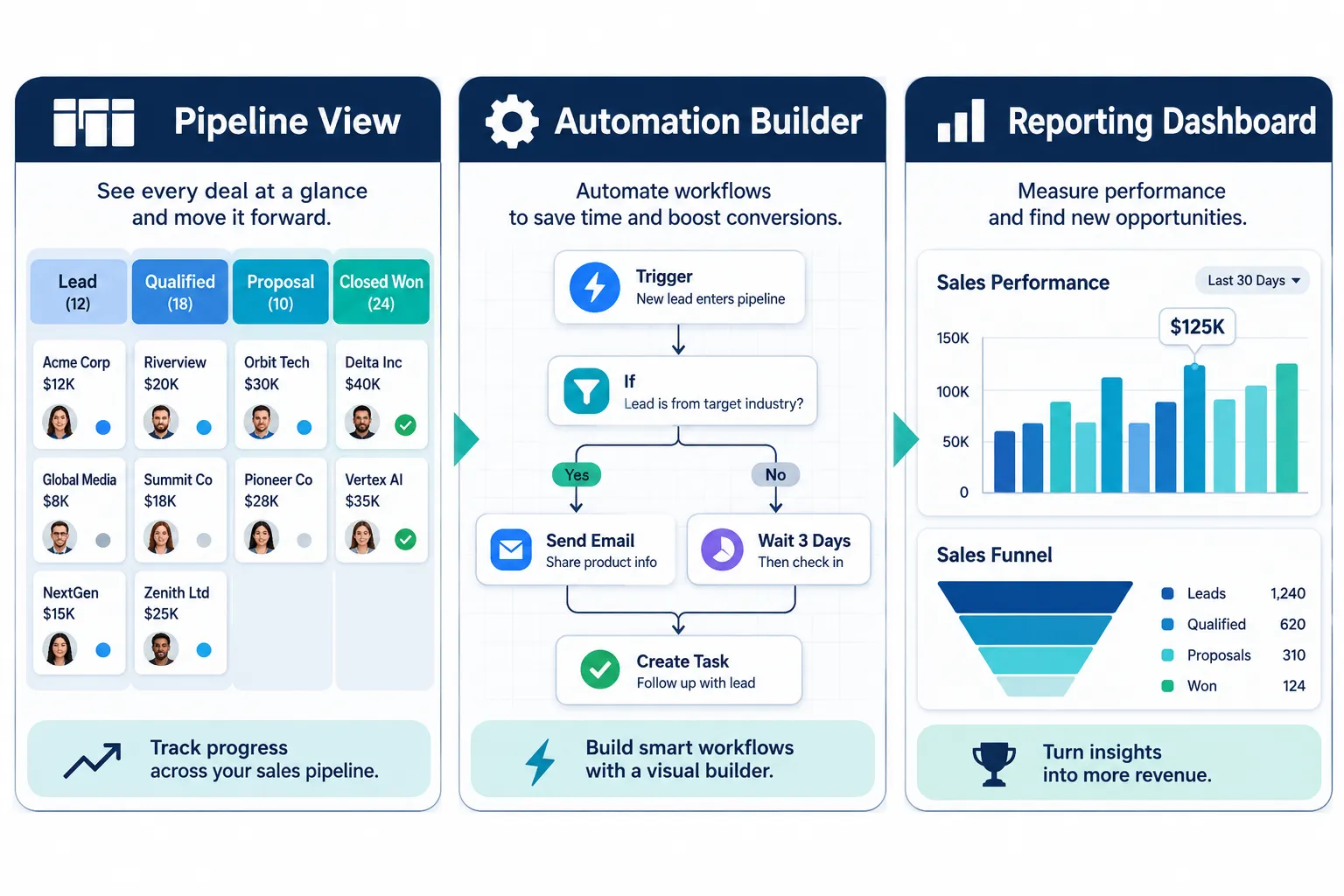
HubSpot treats lead generation as an end-to-end journey, from first website visit to closed deal, using its CRM, Sales Hub, and Marketing Hub together [2]. Pipedrive, by contrast, was designed around the sales funnel first, so its lead generation tools lean heavily on chatbots and deal-stage automation rather than broad marketing campaigns [4]. Zoho CRM sits in between: its core CRM handles contact and deal management, while Zoho Marketing Automation adds forms, landing pages, and pop-ups that sync directly with the CRM [7][8].
Choose HubSpot if marketing and sales need to work from one shared system. Choose Pipedrive if your sales team just needs a clean, visual pipeline. Choose Zoho if you want CRM and marketing automation bundled at a lower cost. For a broader look at how automation fits into lead generation strategy, see our guide on AI marketing automation.
Which CRM has the best lead scoring features for B2B
HubSpot generally offers the most advanced lead scoring for B2B teams because it combines engagement tracking with AI-based prioritization across email, website, and ad activity [1][3].
HubSpot’s workflow AI watches behaviors like email opens, page visits, and form fills, then scores leads automatically so sales reps know who to call first [2][3]. Zoho CRM also scores leads, and its newer agentic AI features are starting to automate parts of this scoring and routing process, which is a real differentiator for 2026 [6]. Pipedrive’s scoring is simpler, it leans on deal probability and activity tracking rather than a dedicated multi-signal scoring engine [4].
Common mistake: teams turn on lead scoring but never review or adjust the scoring rules after the first month. Scores drift out of sync with reality fast if nobody revisits them. If your business sells complex B2B services with long sales cycles, HubSpot’s scoring depth is worth the extra cost. For simpler B2B sales with shorter cycles, Zoho’s scoring is usually enough.
How much does HubSpot vs Pipedrive cost per month
HubSpot and Pipedrive both offer tiered monthly pricing, with HubSpot generally costing more once you add Marketing Hub features, while Pipedrive stays cheaper because it focuses on sales pipeline tools rather than full marketing automation.
HubSpot’s free CRM is genuinely usable for very small teams, but meaningful marketing automation (email sequences, lead scoring, workflows) sits in paid Marketing Hub tiers that scale up with contact volume. Pipedrive’s plans are priced per user and stay comparatively affordable, since its core product is pipeline and deal management rather than full-funnel marketing. Zoho CRM tends to be the most affordable of the three for small teams wanting basic automation. Pricing on all three platforms changes often, so always check the vendor’s current pricing page before budgeting, don’t rely on numbers from last year’s blog posts.
Decision rule: if your monthly lead volume is under a few hundred and your team is mostly sales, Pipedrive’s lower cost makes sense. If you need marketing campaigns, landing pages, and nurture sequences bundled in, budget for HubSpot’s paid tiers or Zoho’s marketing automation add-on.
Is Zoho CRM good for small business lead generation
Yes, Zoho CRM is a strong fit for small businesses doing lead generation on a tight budget, mainly because its native web-to-lead forms, social lead capture, and CRM sync come built in without needing extra integrations [6][7].
Zoho Forms bridges website data capture straight into CRM-based lead management, so a lead filling out a form on your site lands directly in the sales pipeline without manual data entry [9]. Zoho’s agentic AI is also starting to automate lead qualification steps that used to require manual review [6]. For small businesses in India and smaller US service companies with lean teams, this combination of low cost and tight integration is often more practical than paying for HubSpot’s higher-tier marketing features.
Edge case: if your small business sells heavily through Instagram DMs or WhatsApp rather than web forms, you’ll need extra integration work regardless of which CRM you pick, none of these three handle social-first lead capture perfectly out of the box.
Can I set up automated lead nurturing with these platforms
Yes, all three platforms support automated lead nurturing, but the depth of personalization and the learning curve differ a lot between them.
HubSpot’s workflow builder lets you build branching email sequences based on behavior, with AI suggesting content and send times [2][3]. Pipedrive’s nurturing tools are lighter, mostly automated follow-up emails tied to deal stages, which work well for straightforward sales processes but won’t handle complex multi-segment campaigns [5]. Zoho Marketing Automation offers forms, landing pages, and pop-up triggers that feed nurture sequences, with native CRM sync so sales sees the same data marketing does [7][8].
Step-by-step basic nurture setup (works similarly across all three):
- Capture the lead through a form or landing page.
- Tag or segment the lead by source and interest.
- Trigger a welcome email sequence automatically.
- Set a rule that moves the lead to sales once engagement hits a threshold.
- Track open and click data to refine the sequence monthly.
Common mistake: setting up a nurture sequence once and never updating the content. Stale nurture emails lose relevance within a few months, especially for service businesses with seasonal offers.
Pipedrive vs HubSpot: which one is easier to use
Pipedrive is generally easier to learn for sales teams because its interface is built around a single visual pipeline, while HubSpot has more features and therefore a steeper learning curve, especially once you start using Marketing Hub workflows.
New sales reps can usually get comfortable with Pipedrive within a day or two since the main screen is just the deal pipeline with drag-and-drop stages [4][5]. HubSpot takes longer to master because it bundles CRM, marketing, sales, and reporting tools together, and each tool has its own settings and automation logic [2]. That said, HubSpot’s documentation and in-app guidance have improved, so the gap has narrowed compared to a few years ago.
Choose Pipedrive if you’re not very technical and just need a clean pipeline view. Choose HubSpot if your team has time to learn a bigger system in exchange for more capability.
Do these CRMs work well for real estate or ecommerce lead generation
All three can support real estate and ecommerce lead generation, but the fit depends on how leads enter your funnel and how complex your follow-up process needs to be.
For real estate, HubSpot’s workflow automation handles long nurture cycles well, since property buyers often take months to decide, see our dedicated guide on real estate digital marketing for context on how lead timing works in this industry. Pipedrive also works for real estate agents who want a simple pipeline of listings and buyer deals without heavy marketing automation. For ecommerce, Zoho’s forms and pop-up tools integrate cleanly with online stores for cart-recovery-style nurture flows, while HubSpot’s AI-driven personalization suits larger ecommerce brands running multiple campaigns at once [3].
Quick example: a construction or home-services business running local lead ads might prefer HubSpot’s Marketing Hub for construction-specific use cases [10], while a solo real estate agent might find Pipedrive’s lighter pipeline more practical day to day.
What are common mistakes people make with CRM lead generation
The biggest mistake is treating the CRM as a storage tool instead of an active lead generation system, leads get entered but never nurtured, scored, or followed up with a clear process.
Other common mistakes include:
- Turning on automation without defining what a “qualified lead” actually looks like.
- Letting multiple team members create duplicate fields and workflows, which breaks reporting over time.
- Ignoring integration setup, so leads from ads or forms don’t land in the CRM automatically.
- Skipping a review cadence, nobody checks whether the automation rules still make sense after three or six months.
- Over-automating emails to the point where leads feel spammed rather than helped.
If you’re mapping lead generation back to actual pipeline and revenue (not just raw lead counts), our article on why B2B marketing should focus on leads, not pipeline is a useful next read.
How long before you see results using a CRM for leads
Most businesses start seeing cleaner lead tracking within the first two to four weeks, but measurable improvement in conversion rates usually takes two to three months once nurture sequences and scoring rules have enough data to work with.
The timeline depends on lead volume, a business generating 20 leads a month will need longer to gather enough data for scoring to matter than one generating 500 a month. Setup speed also matters: Zoho and Pipedrive tend to get basic automation running faster because their feature sets are narrower, while HubSpot’s fuller system takes more setup time but can produce stronger results once tuned.
Decision rule: if you need quick wins with minimal setup, Pipedrive or Zoho will show results faster. If you’re building for scale over the next year, HubSpot’s longer setup pays off with better long-term automation.
Which CRM has the best free tier or trial
HubSpot’s free CRM tier is the most generous of the three for basic contact and deal management, though its marketing automation features require a paid Marketing Hub plan. Pipedrive and Zoho both offer free trials rather than permanent free tiers, and Zoho has historically included a limited free plan for very small teams.
Before committing, test each platform’s trial with real lead data for at least two weeks rather than just clicking through the demo screens. That’s the only way to judge whether the automation actually fits your sales process.
Can these platforms integrate with my email marketing tool
Yes, all three CRMs integrate with popular email marketing tools, though HubSpot and Zoho have stronger native email capabilities built directly into their own platforms, which reduces the need for a separate tool in many cases.
Pipedrive typically relies more on third-party integrations for advanced email marketing, since its native email features are lighter [4][5]. If you’re building a broader email foundation alongside your CRM, our guide on building a solid email marketing foundation walks through the fundamentals that apply regardless of which CRM you choose.
Is a CRM actually necessary or can I just use email marketing
A CRM is necessary once you have more than a handful of leads to track, because email marketing tools alone don’t manage deal stages, sales follow-up, or lead scoring tied to actual revenue outcomes.
Email marketing is great for nurturing a list at scale, but it doesn’t tell you which specific lead is ready to buy or who on your sales team should call them next. A CRM connects that communication history to a pipeline view, which is what actually drives conversions. Solo freelancers with very few leads can sometimes get by with just an email tool for a while, but any business with a sales team needs CRM-level visibility to avoid leads falling through the cracks.
Which CRM should I use if I’m not very technical
Pipedrive is usually the easiest starting point for non-technical users because of its simple visual pipeline and minimal setup requirements. Zoho CRM is a close second, especially if you only need basic automation and forms rather than complex workflows.
HubSpot can still work for non-technical users, but expect a longer onboarding period, especially once you move past the free CRM into Marketing Hub automation. If you’re newer to marketing tools in general, our digital marketing for beginners resources can help build foundational knowledge before diving into CRM automation specifics.
Can you switch CRMs later without losing your leads
Yes, you can switch CRMs later, but it takes planning, exporting contact data, mapping custom fields correctly, and rebuilding automation workflows from scratch in the new system.
The biggest risk isn’t losing the raw contact list; it’s losing the behavioral history (email opens, deal notes, past automation triggers) that doesn’t always transfer cleanly between platforms. Before switching, export a full backup, document your current automation rules, and test the new platform with a small batch of leads before migrating everything at once.
Comparison at a glance
| Factor | HubSpot | Pipedrive | Zoho CRM |
|---|---|---|---|
| Best for | Full-funnel marketing + AI scoring | Simple sales pipeline | Budget CRM with native lead capture |
| Ease of use | Moderate learning curve | Easiest to learn | Moderate, flexible |
| Lead scoring depth | Strong, AI-driven | Basic | Growing, agentic AI emerging |
| Marketing automation | Extensive (Marketing Hub) | Light (chatbots, follow-ups) | Dedicated add-on, well integrated |
FAQ
Is HubSpot better than Pipedrive for lead generation? HubSpot is better for businesses needing full marketing automation and AI lead scoring. Pipedrive is better for sales teams that just need a simple pipeline without heavy marketing features.
Does Zoho CRM have marketing automation built in? Zoho CRM’s core product focuses on sales and contact management, but Zoho Marketing Automation is a dedicated add-on that syncs tightly with the CRM for forms, landing pages, and pop-ups.
Which CRM is cheapest for a small team? Zoho CRM is generally the most affordable option for small teams needing basic automation, with Pipedrive close behind for pure pipeline management.
Can Pipedrive handle email marketing campaigns? Pipedrive handles basic follow-up emails tied to deals but relies more on third-party integrations for advanced email marketing campaigns.
Do I need coding skills to set up CRM automation? No. All three platforms use visual, drag-and-drop workflow builders that don’t require coding, though HubSpot’s deeper features take longer to learn.
Which CRM integrates best with WhatsApp for lead generation? None of the three have deeply native WhatsApp lead capture built in by default, so businesses relying on WhatsApp often need extra integration work, see our guide on WhatsApp marketing for small business for related strategy.
Can I migrate from Pipedrive to HubSpot later without starting over? Yes, though you’ll need to export contact and deal data, map fields carefully, and rebuild automation workflows, since behavioral history doesn’t always transfer automatically.
Conclusion
Picking between HubSpot, Pipedrive, and Zoho CRM comes down to matching the tool to your actual lead generation process, not just picking the most popular name. HubSpot fits teams ready to invest time in AI-driven marketing automation. Pipedrive fits sales-first teams that want simplicity over complexity. Zoho CRM fits budget-conscious businesses that want native lead capture without a steep learning curve.
Start by mapping your current lead flow on paper, where leads come from, how they get nurtured, and who follows up. Then test the free tier or trial of your top pick with real leads for at least two weeks before committing to a paid plan. That hands-on test will tell you more than any comparison article, including this one.
Meta Title & Description
References
- AI Sales Lead Generation. hubspot.com.
- CRM Automation for Sales. hubspot.com.
- AI Marketing Tools. hubspot.com.
- Lead Generation. pipedrive.com.
- Lead Nurturing. pipedrive.com.
- Agentic AI in Lead Generation. zoho.com.
- Marketing Automation. zoho.com.
- Lead Generation. zoho.com.
- Automate Marketing Tasks. zoho.com.
- Marketing Hub for Construction. hubspot.com.