

Last updated: November 6, 2026
Quick Answer
An AI Search Content Audit Template for Small Businesses: 25 Questions Before You Publish is a pre-publish checklist that checks a page for factual accuracy, author expertise, entity clarity, evidence, formatting, internal links, and conversion paths before it goes live. It helps small business owners catch the exact gaps that stop AI systems like Google AI Overviews, ChatGPT, and Perplexity from citing their content. Running every page through these 25 questions before hitting publish takes roughly 20 to 40 minutes per page once you know the process.
Key Takeaways
- A content audit for AI search checks whether a page can be quoted accurately by AI tools, not just whether it ranks on page one.
- The 25 questions group into seven areas: accuracy, author expertise, entity clarity, answer completeness, evidence, formatting, and conversion paths.
- This template is free to use as a framework; you don’t need paid software to run it on a small site.
- It works for blogs, service pages, and ecommerce product pages, though ecommerce needs extra questions on specs and reviews.
- Most small businesses should prioritize their 10 to 20 highest-traffic or highest-intent pages first, not every post at once.
- Skipping questions is fine if a section genuinely doesn’t apply, but skipping accuracy or author-expertise checks defeats the purpose.
- Old, outdated content usually needs auditing more urgently than new posts because it’s already indexed and may be misinforming AI tools right now.
What is a content audit and why does my small business need one
A content audit is a structured review of existing or draft web pages to find gaps in accuracy, depth, structure, and trustworthiness before (or after) publishing. Small businesses need one because AI search tools now summarize and cite content directly, so a page with vague claims or no clear author won’t get picked, no matter how well it used to rank.
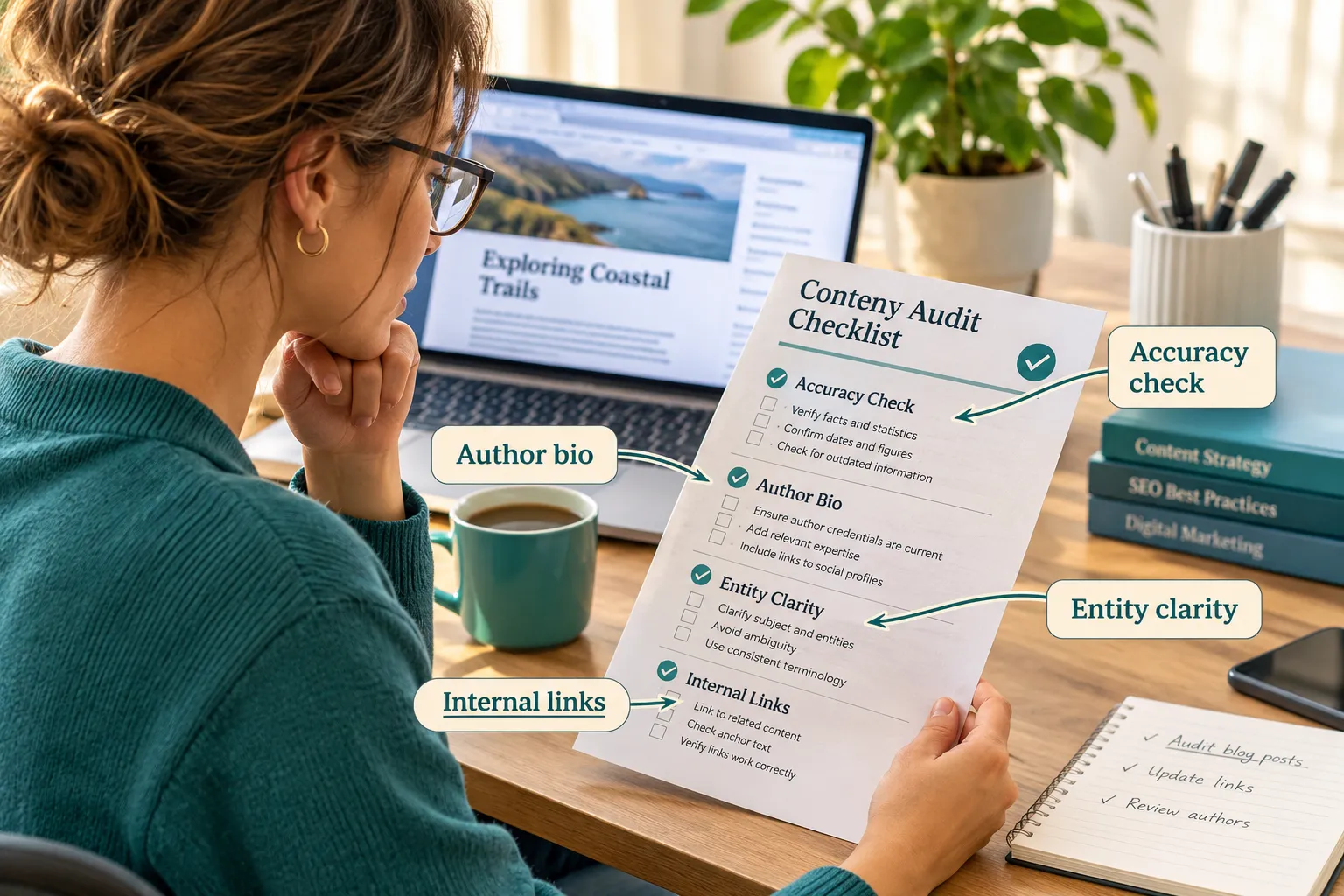
Traditional SEO audits looked mostly at keywords, meta tags, and backlinks. AI search audits add new layers: can an AI model lift a clean, self-contained answer from this page? Does the page name a real entity (your business, your founder, your location) clearly enough for an AI system to attribute the answer correctly? [1][2]
For a small business with limited time, this matters because:
- A single inaccurate or vague paragraph can cost you an AI citation for months.
- Fixing issues before publishing is far cheaper than fixing them after a competitor gets cited instead.
- Many small sites already have thin, generic pages written years ago that quietly hurt AI visibility today.
If you’re building a broader content marketing plan, treat this audit as the quality gate that sits right before every page goes live.
How do I actually use this 25 question template for my site
You use the template by running each page through the 25 questions in order, marking a pass, fail, or “needs work” for each one, then fixing the fails before publishing. Think of it as a pre-flight checklist, not a grading exam.
Practical steps:
- Open a spreadsheet with columns for URL, question number, status, and fix notes.
- Read the draft once fully before scoring anything.
- Go through the 25 questions one by one, answering honestly rather than how you wish it read.
- Flag anything marked “fail” with a specific fix, not just “improve this.”
- Re-check flagged items after editing, then publish.
Recent audit templates add specific AI-focused columns like “AI citation readiness” and “LLM citation potential” alongside the usual clicks, impressions, and average position fields, so you’re judging the page on both search performance and how quotable it is for AI tools [3][4].
Decision rule: if a page scores “fail” on more than five of the 25 questions, don’t patch it, rewrite the core sections from scratch. Patch jobs on weak content rarely move AI visibility.
Is this content audit template free or do I have to buy it
This template is free to use because it’s a framework of questions, not a paid tool. You only need a spreadsheet, a doc, or even a printed sheet to run it.
Paid audit software exists too, and some of it automates parts of this process, like checking Flesch Reading Ease scores or pulling Google Search Console data automatically. But none of the 25 questions require a subscription. A small business owner with no budget can run this manually on day one. If you later want automation, pair it with a technical SEO audit checklist and your Google Search Console data for performance numbers.
What are the actual 25 questions in this template
The 25 questions fall into seven groups: accuracy, author expertise, entity clarity, answer completeness, evidence, formatting, and conversion paths. Each group targets a specific reason AI systems reject or ignore a page.
Accuracy (questions 1-4)
- Is every factual claim on this page true as of today, not a year-old assumption?
- Does every statistic link to a real, named source?
- Have you removed any claim you can’t verify instead of guessing?
- Is pricing, availability, or contact info current?
Author expertise and entity clarity (questions 5-9) 5. Does the page name a real author or business entity, not “admin” or nobody? 6. Does the author bio show relevant experience or credentials? 7. Does the business name, location, and niche stay consistent with your other pages? Contradictions (like “enterprise clients” on one page and “small businesses” on another) confuse AI models and reduce coherent citation [5][6]. 8. Is your brand name easy to find in the first 100 words? 9. Does the page clearly state who the content is for?
Answer completeness (questions 10-14) 10. Does the opening paragraph answer the main question directly, in two to four sentences? 11. Is there a self-contained answer block near the top, roughly 130 to 170 words, that could be quoted alone [3][6]? 12. Have you covered the obvious follow-up questions a reader would ask next? 13. Are pros, cons, and limitations included, not just benefits? 14. Does the page address who this is NOT for, or when it doesn’t apply?
Evidence (questions 15-18) 15. Is there roughly one verifiable statistic or named source every 150 to 200 words [5][7]? 16. Are external links pointing to primary sources, not other blog posts? 17. If AI tools helped write any part of this, has a human reviewed and signed off on it [4][8]? 18. Is there a record of that human review kept somewhere, in case you need to prove it later [8][9]?
Formatting (questions 19-22) 19. Does each heading section stay roughly 100 to 200 words so it’s scannable and easy to parse? 20. Are headings phrased as natural questions where it fits? 21. Is structured data (FAQPage, HowTo, Article schema) present and accurate to the content on the page [3][6]? 22. Is the Flesch Reading Ease score roughly 60 to 80, so a general reader can follow it easily [7]?
Internal links and conversion (questions 23-25) 23. Does the page link to at least two to three genuinely related internal pages? 24. Is there one clear next step for the reader (a form, a related guide, a contact link)? 25. Would a stranger reading only this page know exactly what to do next?
Does this content audit template work for ecommerce or just blogs
Yes, the template works for both, but ecommerce pages need two or three extra checks layered on top. Blog posts care more about depth and sourcing; product pages care more about specs, reviews, and purchase clarity.
For ecommerce pages, add these on top of the 25:
- Does the product description include exact specs an AI shopping assistant could quote directly?
- Does the page show a genuine review count or rating, since review-volume thresholds affect whether AI tools surface the product at all?
- Is stock status and pricing current, since outdated availability is one of the fastest ways to lose AI trust?
Service-based small businesses (consultants, agencies, local shops) can usually use all 25 questions as-is, especially pairing them with Google Business Profile optimization for local AI visibility.
How long does it take to audit all my content with this template
Expect 20 to 40 minutes per page once you’re familiar with the questions, and closer to an hour on your first few pages while you’re still learning the process. For a small site with 20 to 50 pages, budget a full week of focused work, or spread it across a month doing a handful each day.
Edge case: a thin 400-word page with no sources will often fail enough questions that rewriting it takes longer than auditing a solid 1,500-word page that only needs minor fixes. Don’t assume short pages are faster to audit, they’re often slower to fix.
What’s the difference between this template and other content audit tools
This template is a manual question-based checklist focused specifically on AI search citation readiness, while most other tools are either general SEO audit software or AI-content-quality scanners that check different things. Some automated tools, like the ones built around Google’s quality guidance, use as many as 83 separate checks mapped to official documentation [8]. Others focus heavily on accountability and governance, with around 30 checks across six areas like data protection and human oversight [9].
The table below shows how this 25-question approach compares:
| Approach | Focus | Best for |
|---|---|---|
| 25-question AI audit template | Pre-publish accuracy, entity clarity, answer blocks, evidence | Small businesses, manual use, no budget |
| 83-check quality checklist [8] | Mapping content to Google’s official quality docs | Larger teams, formal QA process |
| AI Visibility Audit Checklist | Schema, citations, directory presence, review volume | Sites chasing AI Overview visibility specifically |
| Accountability checklist [9] | Governance, consent, human oversight, incident response | Businesses worried about compliance risk |
Choose the 25-question version if you’re a solo owner or small team wanting something practical you can run today without new software.
Do I really have to answer all 25 questions or can I skip some
You can skip a question if it genuinely doesn’t apply to that specific page, but skipping accuracy, author-expertise, or evidence questions defeats the point of the audit. Formatting and conversion questions are more flexible depending on page type.
Common mistake: business owners skip the “human review” question (17-18) because they assume AI-written drafts are fine as-is. That’s risky, because provenance and review trails are becoming expected practice, not optional extras [4][8][9].
What should I do with my audit results once I’m finished
Turn every “fail” into a specific, written fix, prioritize pages by traffic or business value, and re-test in AI search tools after publishing. Don’t just file the spreadsheet away.
A practical close-out process:
- Sort failed pages by business impact (service pages and top blog posts first).
- Fix the content, then run the LLM prompt test: type buyer-intent questions into ChatGPT, Gemini, and Perplexity to see if your page gets cited [6][10].
- If it’s not cited, revisit questions 10 to 14 (answer completeness) before anything else.
- Document the review in your spreadsheet in case you need evidence of human oversight later [8][9].
- Set a reminder to re-audit the page in 6 to 12 months.
This pairs well with broader workflows like AI content repurposing if you’re turning one audited page into multiple formats.
Which content audit template is actually best for small businesses
The best template for a small business is the one that’s simple enough to actually finish, which usually means a manual 20 to 25 question checklist rather than a 80-plus-item enterprise framework. Complexity doesn’t help if it never gets used.
Choose the 25-question version if you’re a solo founder or a team of two to five people managing your own content. Choose a heavier framework like the 83-check model [8] only if you have a dedicated content or SEO person running audits weekly.
How does this template help with Google AI search and SGE rankings
This template helps by forcing pages to include the specific elements AI Overviews and AI Mode look for: a tight answer block, accurate claims, named authorship, and clean structured data. These are the same elements that affect whether Google AI Overviews pull your content into a summary.
Technical checks matter too. Confirm GPTBot, PerplexityBot, Google-Extended, and ClaudeBot aren’t blocked in robots.txt, and that key content loads in static HTML rather than hidden behind JavaScript. Pair this with your keyword research for AI search so the questions you’re answering actually match what people ask AI tools.
Should I audit my old content or only focus on new posts
Audit your old content first, because it’s already indexed and may be actively misleading AI tools about your business right now. New posts can go through the 25 questions before publishing, which is cheaper than fixing them later.
Quick example: a 2022 blog post claiming outdated pricing can get quoted by an AI assistant today, giving a customer wrong information before they even visit your site. That’s a more urgent fix than a draft sitting in your content calendar.
What common mistakes do small businesses make during content audits
The most common mistake is auditing for grammar and keyword density instead of accuracy and entity clarity. Other frequent mistakes include skipping the human-review step on AI-assisted drafts, and auditing every page at once instead of prioritizing by traffic.
Other mistakes worth naming:
- Treating the audit as a one-time project instead of a recurring habit.
- Forgetting to check brand consistency across pages, which confuses AI models about who you actually are [5][6].
- Ignoring internal links entirely, even though they help both content strategy and AI crawlers understand your site structure.
Can I use this template if I’m just starting out with very little content
Yes, and starting out is actually the best time to use it, because you can build good habits before you accumulate pages that need fixing later. Run every new page through the 25 questions before it goes live, rather than publishing first and auditing later.
If you only have five or ten pages right now, this is also a good moment to review your overall lead generation content strategy so each new page serves both AI visibility and actual business goals from day one.
FAQ
What is an AI Search Content Audit Template for Small Businesses: 25 Questions Before You Publish used for? It’s a pre-publish checklist that checks accuracy, authorship, evidence, formatting, and internal links so AI search tools can confidently cite a page.
Is 25 questions too many for a small business owner to manage? No. Most owners finish a page in 20 to 40 minutes once they know the categories: accuracy, expertise, entity clarity, completeness, evidence, formatting, and conversion.
Do I need special software to run this audit? No, a spreadsheet or document is enough. Paid tools can automate parts of it, but none of the 25 questions require payment.
Does this work for local service businesses, not just blogs? Yes. Pair it with your Google Business Profile data for stronger local AI visibility.
How often should I re-run the audit on the same page? Every 6 to 12 months, or sooner if pricing, services, or facts on the page change.
What’s the single biggest reason AI tools skip a page? Usually missing or vague authorship combined with no clear, self-contained answer near the top of the page.
Should I fix everything myself or hire help? Small fixes (bios, links, formatting) are fine to do yourself. If a page fails more than half the questions, consider professional help, similar to how you’d choose the right SEO company.
Conclusion
Running your content through an AI Search Content Audit Template for Small Businesses: 25 Questions Before You Publish isn’t extra homework, it’s the difference between a page that quietly sits on page three and one that gets quoted by an AI assistant in front of a ready buyer. Start with your five highest-value pages this week, score them against all 25 questions honestly, and fix the accuracy and evidence gaps first. Once that habit sticks, apply the same checklist to every new draft before it goes live, and you’ll build a site that AI search tools trust by default, not by accident.
References
- Content Audit. maximuslabs.ai.
- How to Build an AI Content Audit Workflow. slatehq.com.
- Run Content Audit Rankings. maintouch.com.
- Content Audit Template 2026. evergreensite.com.
- AI Audit Checklist. yotpo.com.
- AI Content Audit Checklist. prompteden.com.
- AI Content Eeat Checklist. plerdy.com.
- Aleyda Solis Turns Googles Content Quality Guidance Into 83 Checks. ppc.land.
- The Founders Ai Accountability Checklist Free Downloadable Sheet 2h85. dev.to.
- Website Content Audit. timothyprestianni.com.